Download Ritaya POS

Everything you need to run your restaurant or retail business — on any device. Install our Windows desktop app or grab the Android apps from Google Play to get started in minutes.

All apps work offline, sync automatically, and are backed by our dedicated support team.

Latest Version Secure & Verified Fast Setup
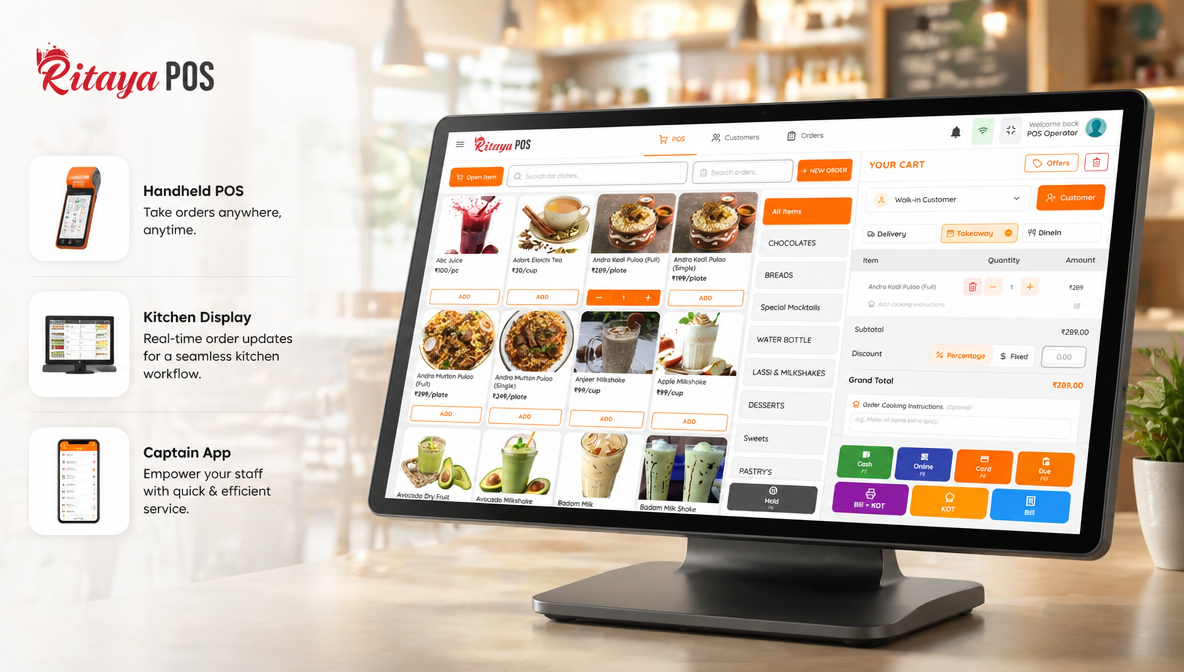
Ritaya POS on desktop and tablet

Desktop Apps for Windows

Download and install on any Windows 10 / 11 PC or touch-screen terminal.

Desktop POS

Full-featured point-of-sale for Windows. Manage orders, payments, inventory, kitchen routing, and reports — all from a single screen. Works offline.

Size: ~58 MB
Windows 10 / 11 (64-bit)
Download for Windows

v1.0.142 — Latest stable release

Self-Service Kiosk

Let customers browse, customise, and place orders independently on a touch screen. Speeds up service and increases average order value.

Size: ~55 MB
Windows 10 / 11 (64-bit)
Request Download

Contact us for access

Kitchen Display System

Display orders in real time on a kitchen screen. Colour-coded by station, priority, and status — so your kitchen team works faster with zero verbal communication.

Size: ~52 MB
Windows 10 / 11 (64-bit)
Request Download

Contact us for access

Mobile Apps on Google Play

Free to download. Works on any Android 11+ smartphone or tablet.

Mobile / Handheld POS

Take orders and process payments on-the-go with your Android phone. Perfect for tableside ordering, pop-ups, and small counter setups.

Android 11 or above
Get on Play Store

Free to download

Captain App

Empower waitstaff to take orders at the table, manage table status, send items straight to the kitchen, and handle customer requests — all from a handheld Android device.

Android 11 or above
Get on Play Store

Free to download

Kiosk App

Turn any Android tablet into a self-service kiosk. Customers browse the menu, customise items, and pay — no cashier required. Great for QSRs and food courts.

Android 11 or above
Get on Play Store

Free to download

Android POS (Tablet)

Full-featured POS designed for Android tablets and dedicated POS terminals. Ideal for counter setups with devices like Posiflex, iMin, or Sunmi.

Android 11 or above
Get on Play Store

Free to download

System Requirements

Windows Desktop

  • Windows 10 or Windows 11 (64-bit)
  • 4 GB RAM (8 GB recommended)
  • 5 GB free disk space
  • Internet connection for sync & reports
  • 1280 × 720 minimum screen resolution

Android Devices

  • Android 11 or above
  • 4 GB RAM minimum
  • 5 GB free storage
  • Active internet connection
  • Google Play Services enabled

Need Help Getting Started?

Our onboarding team handles setup, device configuration, and staff training. Book a free demo and we'll walk you through everything.