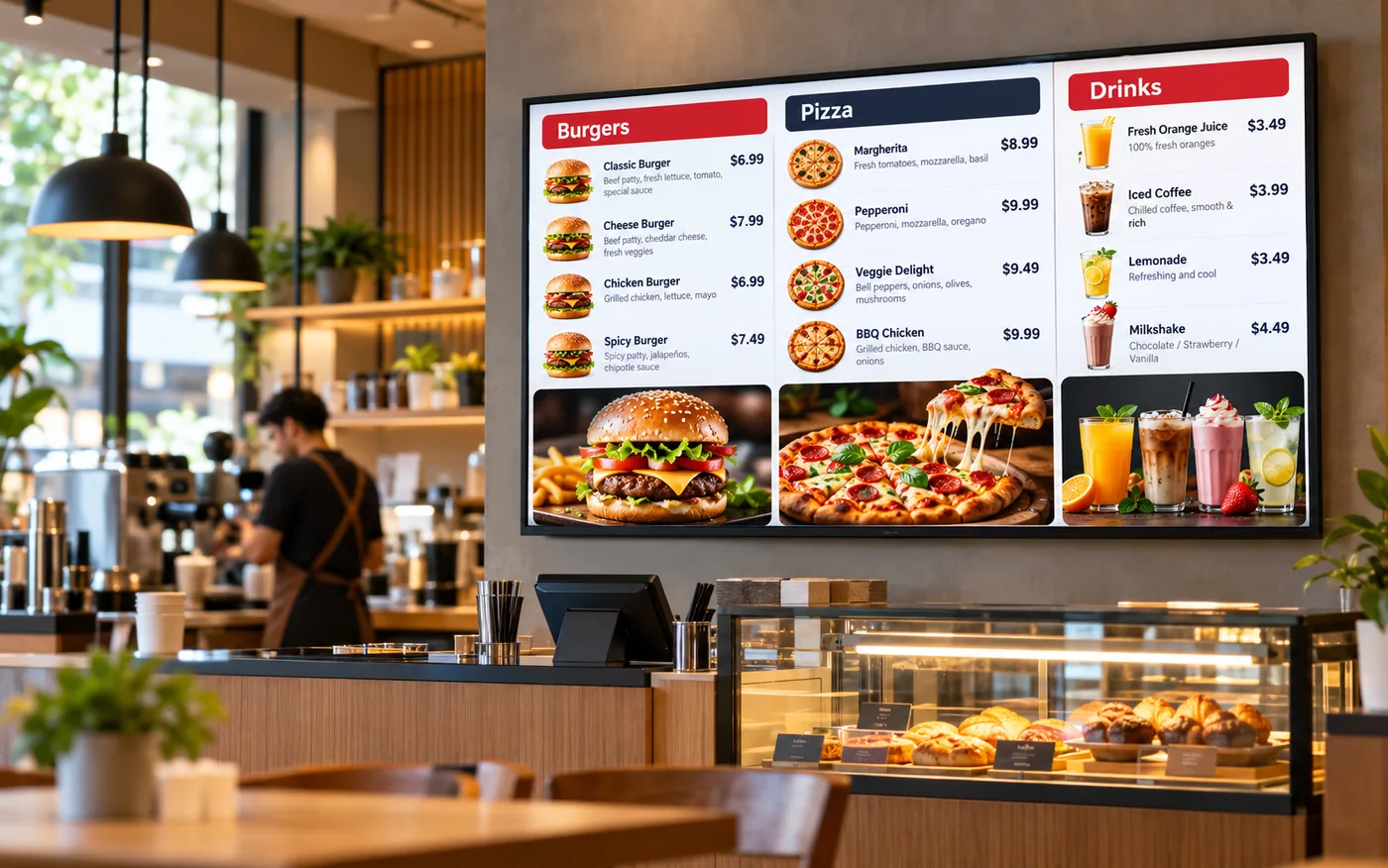
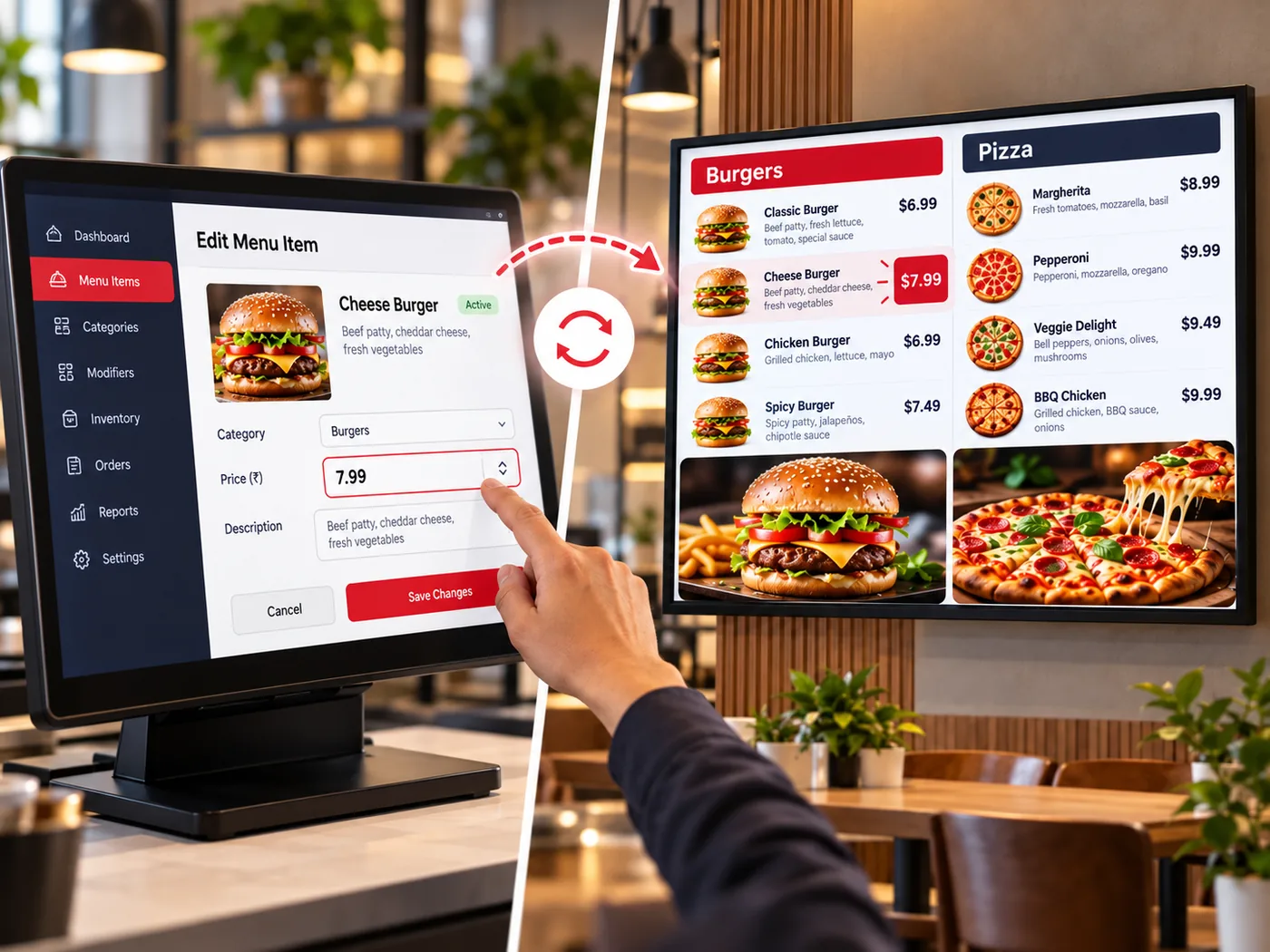
Turn any TV or display into a digital menu board that shows your real menu — prices, availability and photos — straight from Ritaya. Change an item once and every screen follows.
The boards read the same menu your POS uses, so the screens never drift from what you actually sell. Prices are the outlet's own prices, and an item you mark unavailable is hidden, dimmed or struck through — your choice.
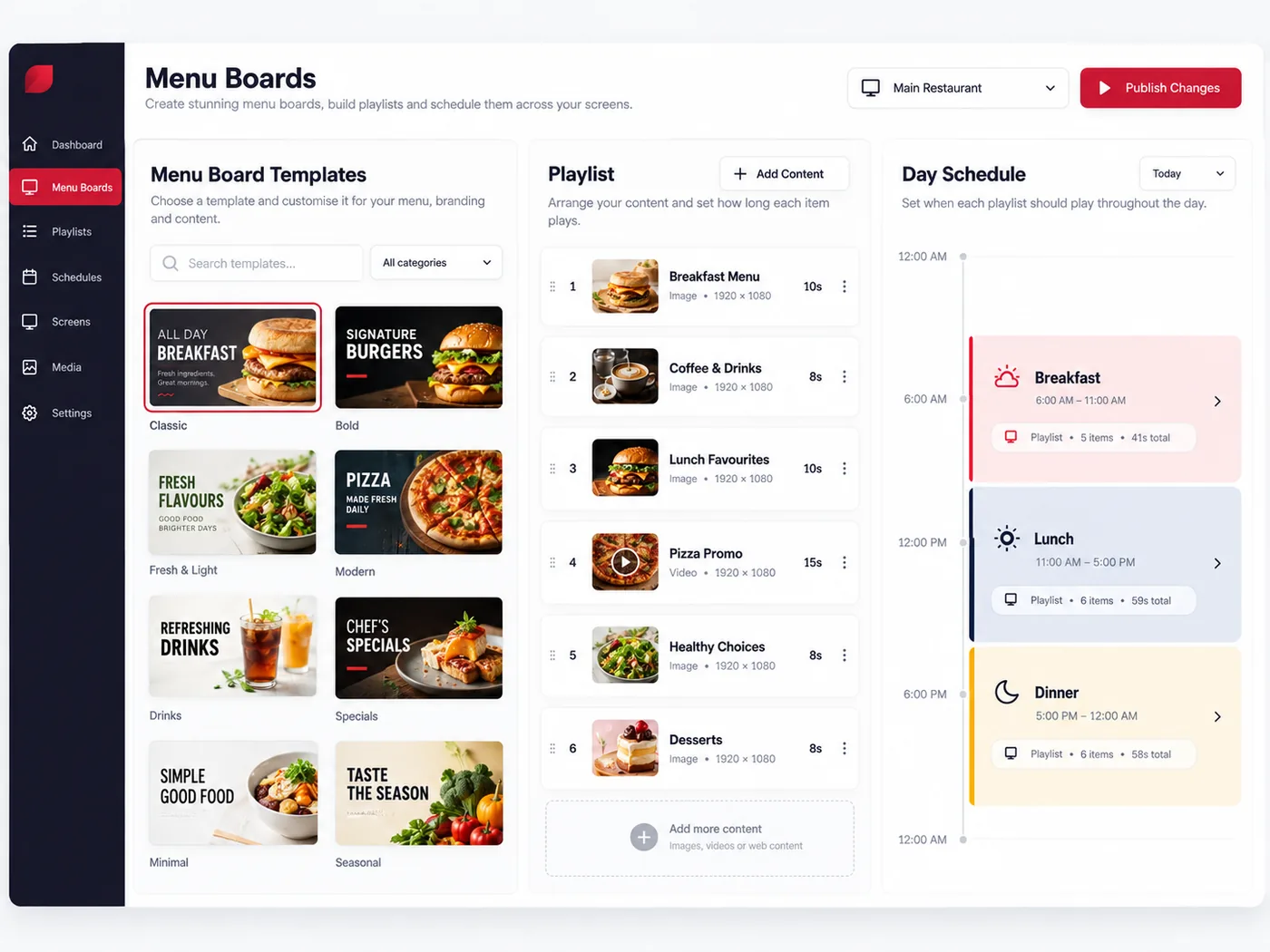
Start from a ready-made template, make it yours in the admin console with a live preview, then decide what plays where and when — breakfast on the morning, the full menu after lunch.
Pair a screen once. After that it looks after itself.
Install the Ritaya Digital Menu app on an Android TV or TV box, or open the player in any modern browser. The screen shows a 6-character pairing code.
In Admin, go to Digital Menu → Screens → Add screen, enter the code, and give it a name, an outlet and an orientation.
Assign a playlist, or let your schedules decide. The screen downloads the content and starts playing.
See which screens are online, and send a refresh, restart, clear-cache or identify command from the console.
The player needs a secure (HTTPS) internet connection when it is first set up. Digital Menu is an add-on module — ask us how to enable it for your outlets.
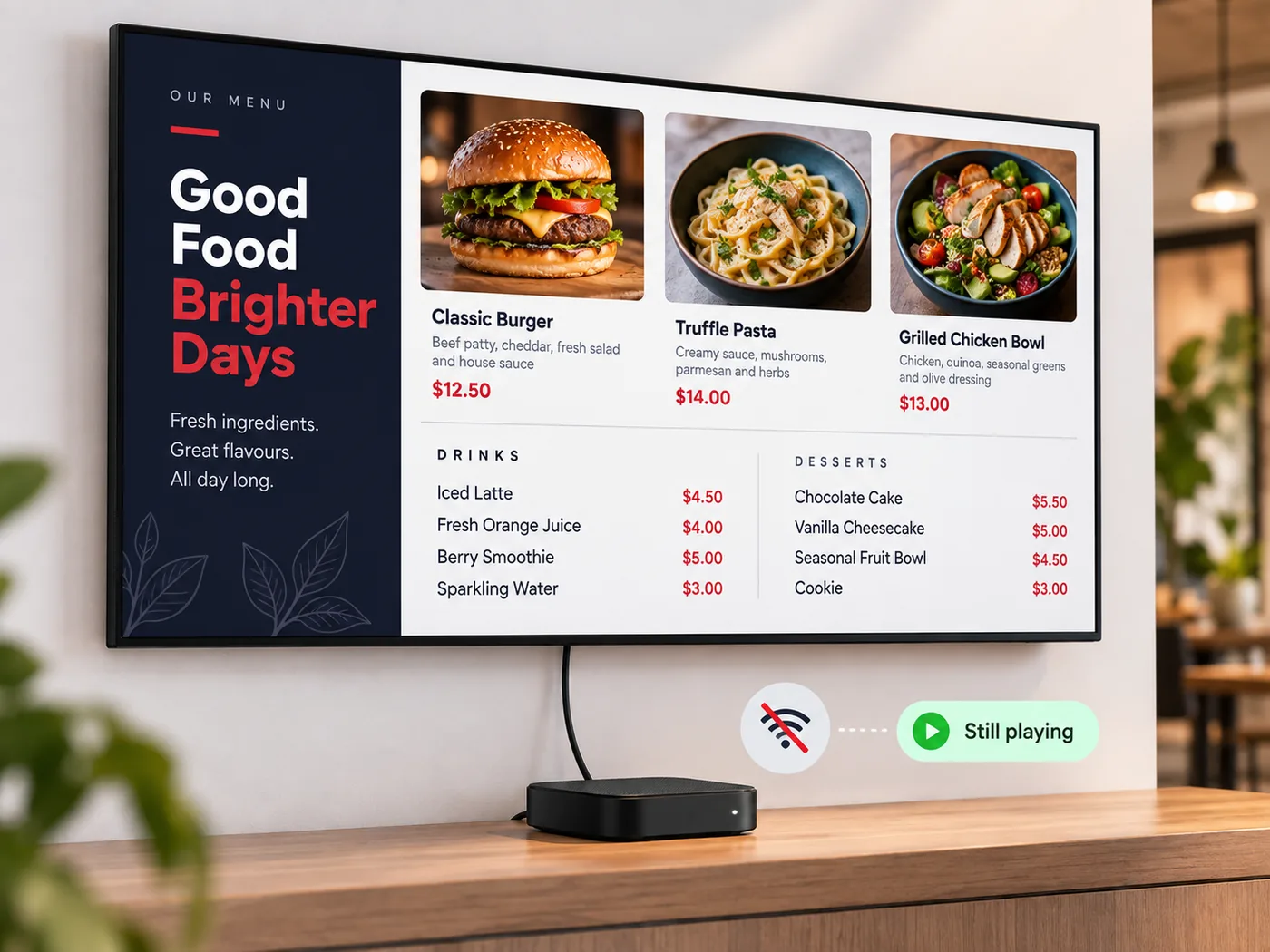
A menu board that shows an error message is worse than no board. The player keeps the last good content, so customers keep seeing your menu through a network drop.
Boot start on some Android 10+ boxes may need an extra permission enabled on the device.
Designed to look great on a wall and to be easy to run day to day.
22 ready-made templates. Change colours, fonts, card style, motion and background, with a live preview of your real menu.
Upload your own images (JPG, PNG, WebP, GIF) and videos (MP4, WebM) to a media library, or use built-in food artwork.
Build a set of boards from your menu in one step, with a preview before anything is created. A coverage check lists items that are on no board.
Veg / non-veg marks, spice level, calories, 14 allergens, dietary tags (such as vegan or halal) and promo badges, each switchable per board.
Add a QR code, a clock, a scrolling ticker or a countdown to any board — handy for offers and festivals.
Text is fitted to the space, and long menus are split into pages that cycle automatically, so nothing is cut off.
Being built now — ask us about availability.
Describe an occasion — a festival, a weekend brunch — and get design options for your boards. Your dish names, descriptions and prices always come from your own menu.
Show “Preparing” and “Ready” order numbers on screen for pickup counters. A styled placeholder board exists today; the live order feed is not connected yet.