Run Your Waitlist
and Tables from One App

A light Android app for front-desk and floor staff. See every table live, add walk-in guests, keep a waitlist, check in advance bookings, and seat the next guest at the right table in a few taps.

Android phone & tablet
PIN login for staff
WhatsApp guest alerts
Auto-refreshing tables
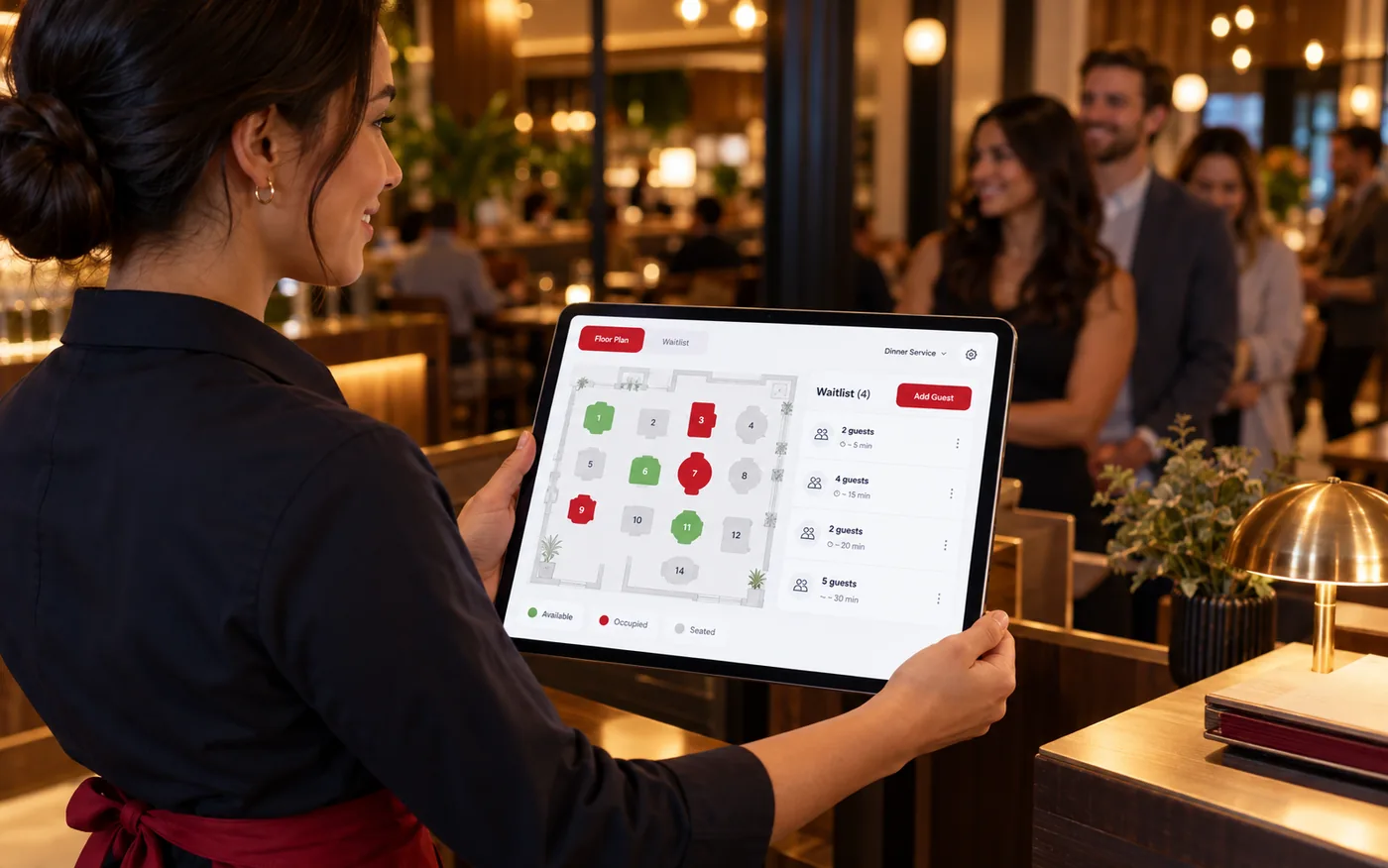
A host holding a tablet showing live table status and a waitlist in a restaurant
3 views
Tables, Waitlist, Upcoming
60 sec
Automatic refresh
Phone + tablet
Side-by-side on tablets
PIN
Fast staff sign-in

See Every Table at a Glance

A live floor view your host can read in a second.

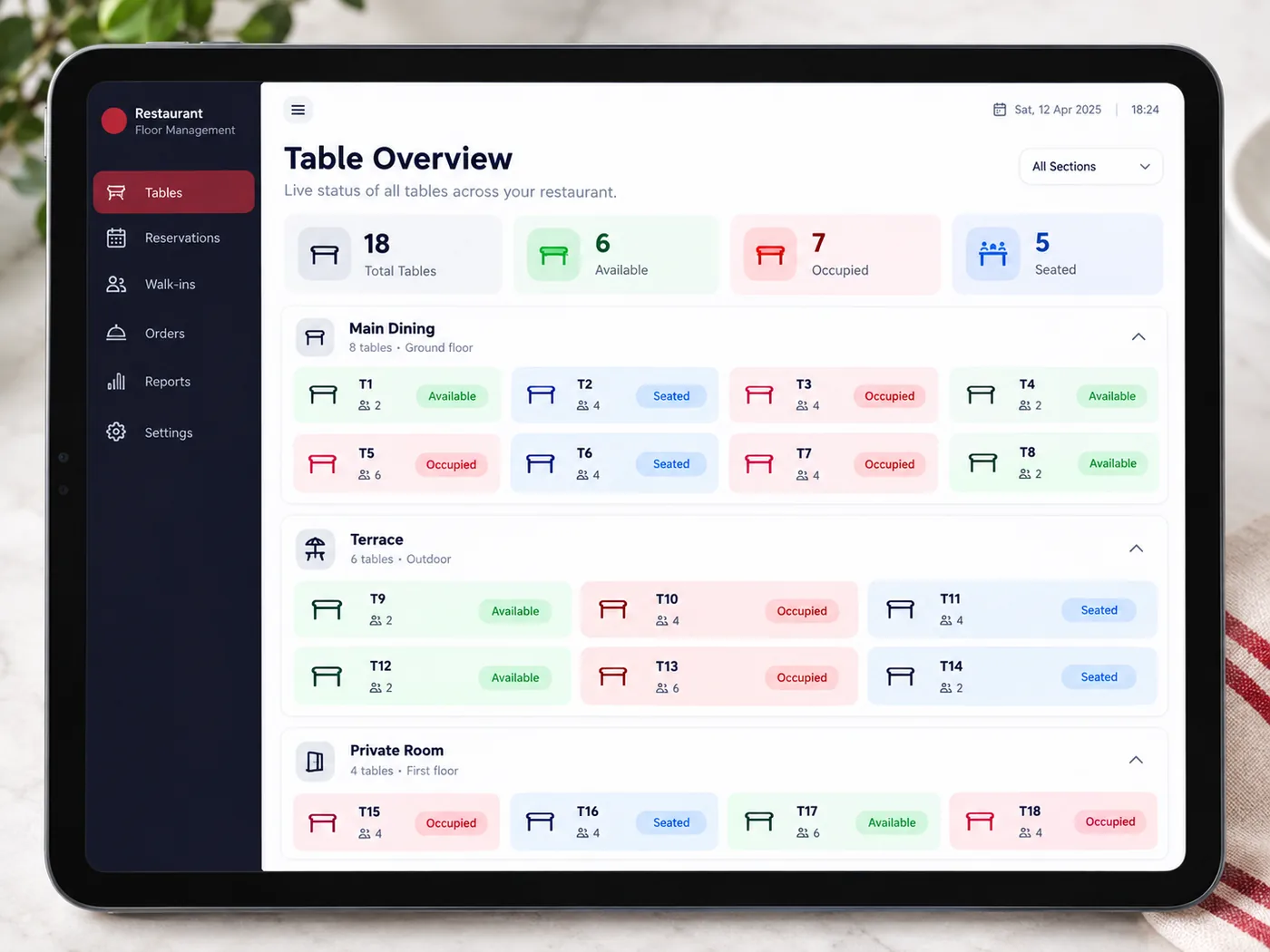
  • Tables grouped by section, each showing its name, seats and shape
  • Clear status on every card: Available, Occupied or Seated
  • Tap an available table to seat a walk-in; tap an occupied one to see the guest and mark it Complete or No Show
  • Refreshes automatically every minute, or pull to refresh
  • On a tablet, tables, waitlist and upcoming bookings sit side by side
A tablet screen with tables grouped by section and colour-coded status

A Waitlist That Keeps Guests Informed

No more shouting names or losing a slip of paper.

  • Add a guest with name, phone, party size, family or occasion, and whether table sharing is fine
  • If a suitable table is free, the guest is seated straight away; otherwise they join the waitlist with a position number
  • Joining the waitlist sends the guest a WhatsApp message with their position
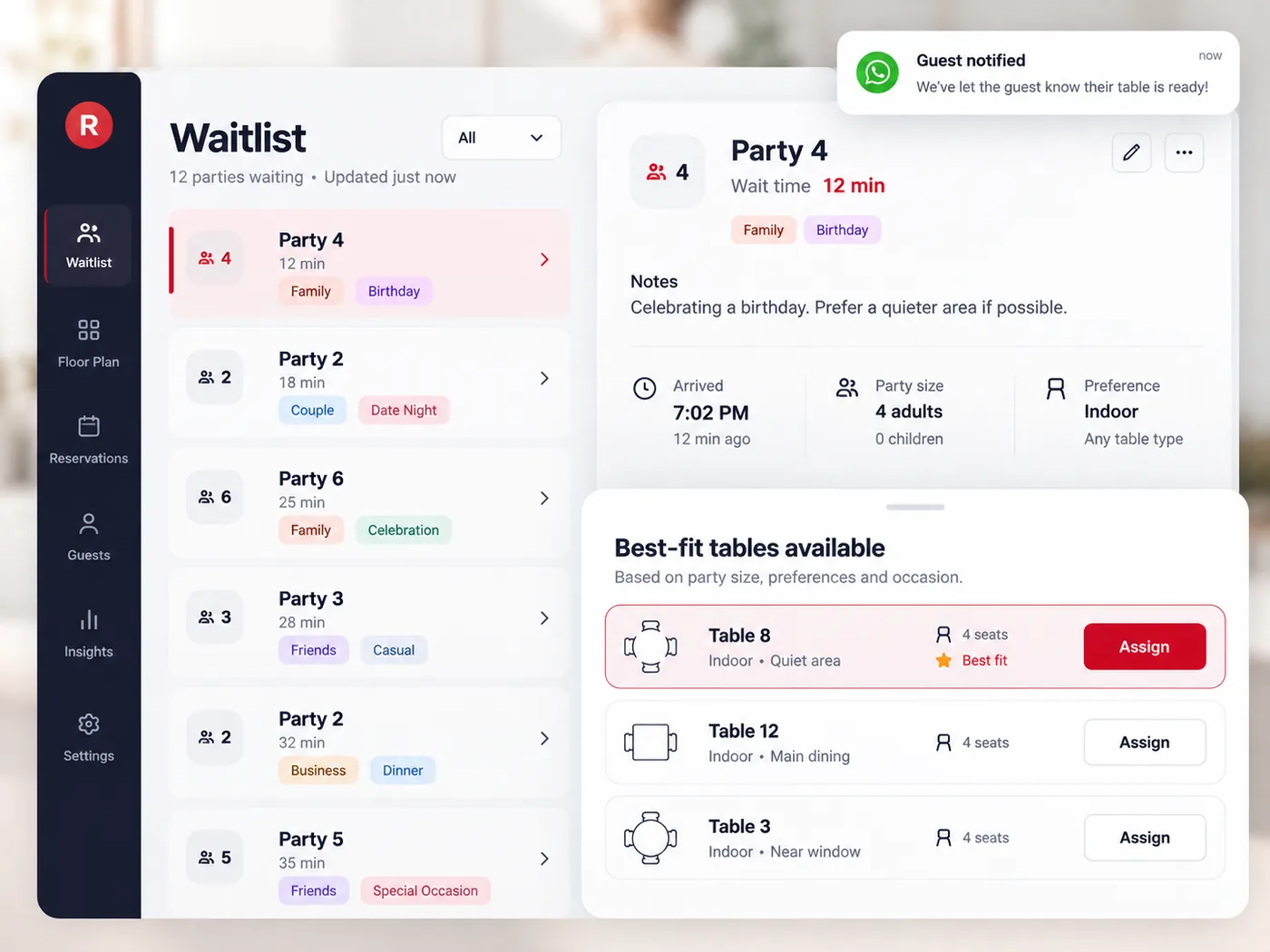
  • When a table opens, tap Assign Table: free tables are listed by section with the best fit for the party first, and too-small tables are set apart
  • The guest gets a WhatsApp message that their table is ready, and the card shows Notified
A waitlist with guest names, party sizes, wait time and an Assign Table button

Advance Bookings and Check-In

Bookings made online or by staff wait in one list until the guest arrives.

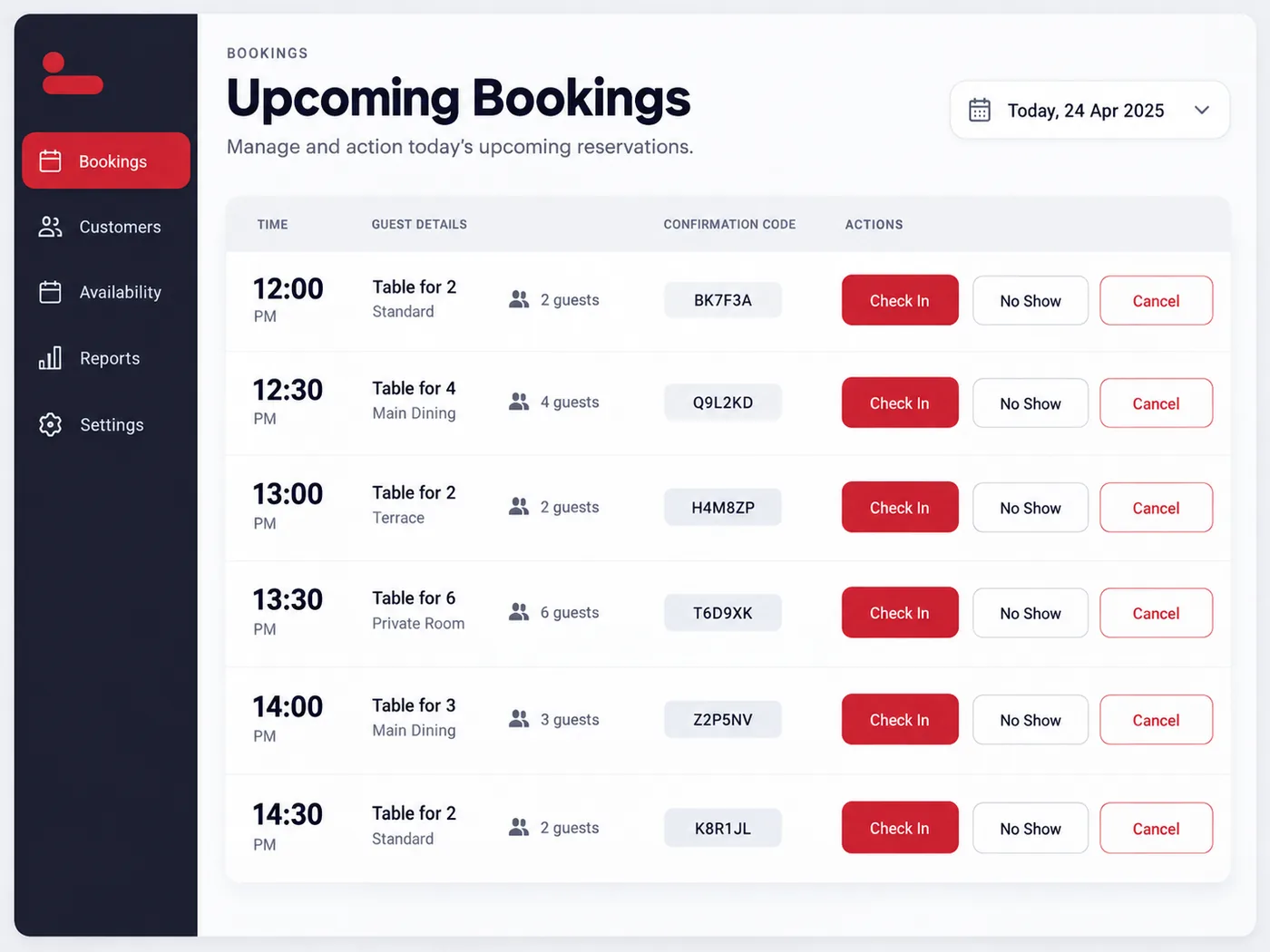
  • The Upcoming tab lists confirmed advance bookings, including those from the online Table Reservation Widget
  • Check In seats the guest at a table; No Show and Cancel free the booking
  • Staff can also create a future booking with a date and time
  • Seated guests carry over to the POS and Captain app, so the order can start with the guest already selected
An upcoming bookings list with Check In, No Show and Cancel actions

Everything in the Reservation Manager

Built for the front desk: quick to learn, quick to use.

Live Table Status

Every table by section with seats, shape and status, always close to up to date.

Numbered Waitlist

Guests wait in order, with party size, occasion and time waited on every card.

WhatsApp Guest Alerts

Guests hear from you when they join the queue and again when their table is ready.

Upcoming Bookings

Advance bookings in one list, with Check In, No Show and Cancel.

Secure Staff Access

Activate the app with your licence key, then staff sign in with a PIN.

Phone & Tablet

Built for Android phones and tablets, in portrait or landscape.

Give Your Front Desk a Better Queue

See how the Reservation Manager fits next to your POS, Captain app and online booking.

Book a Free Demo