Let Guests Book a Table
Online, Any Time

A booking page with your name, logo and theme. Guests pick a date, party size and an open time slot from any phone — no app to install and no login. Your team sees every booking in the Reservation Manager.

No app or login for guests
Only open slots shown
WhatsApp confirmation
Your logo & theme
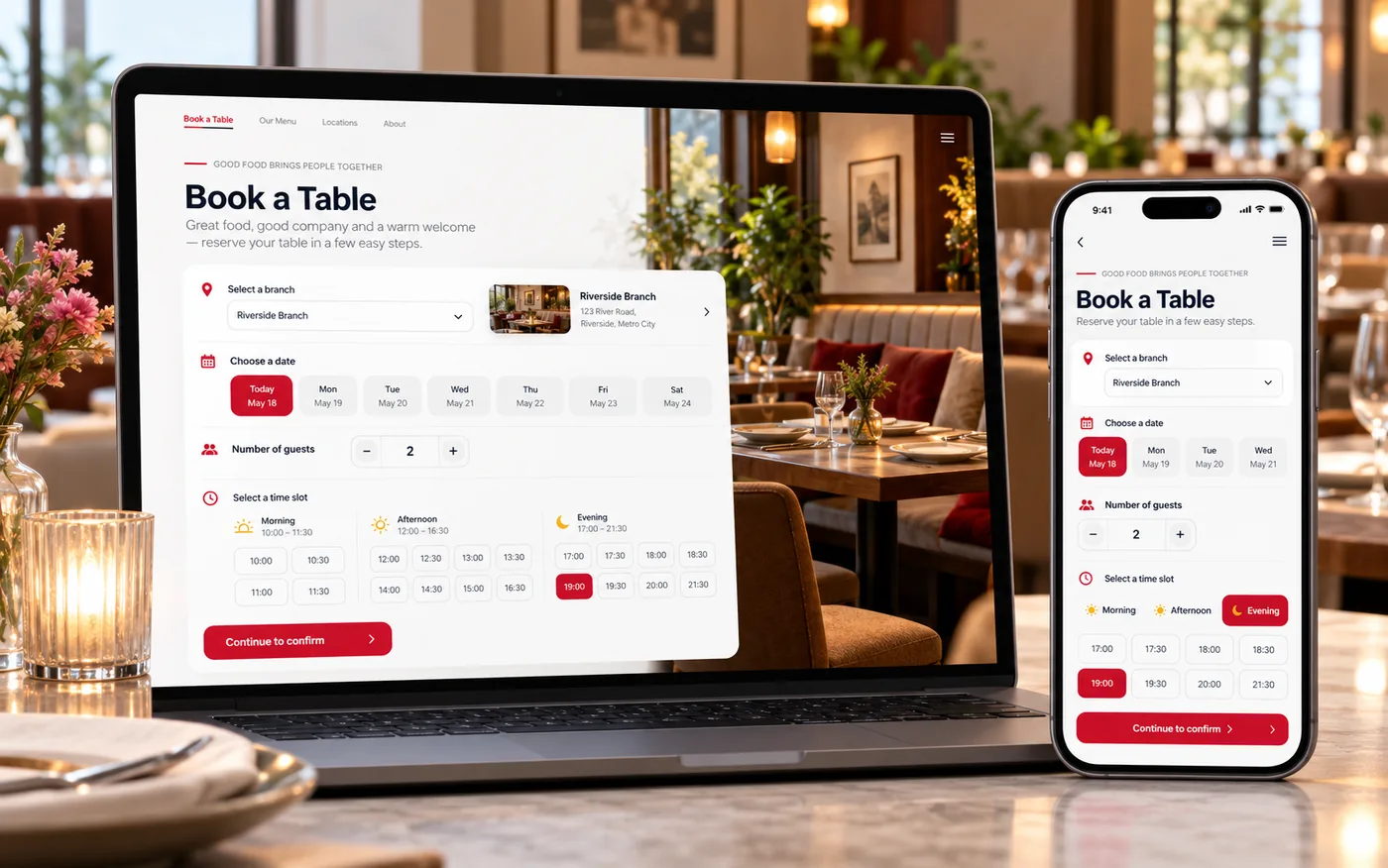
An online table booking form on a phone and laptop with date, time and guest count
30 min
Booking slot interval
Up to 30
Guests per online booking
3 themes
Light, dark or rose
Browser
Nothing for guests to install

Booking Made Simple for Guests

Guests get one short form that works on any phone. Availability is checked live, so they only ever see times you can actually seat them.

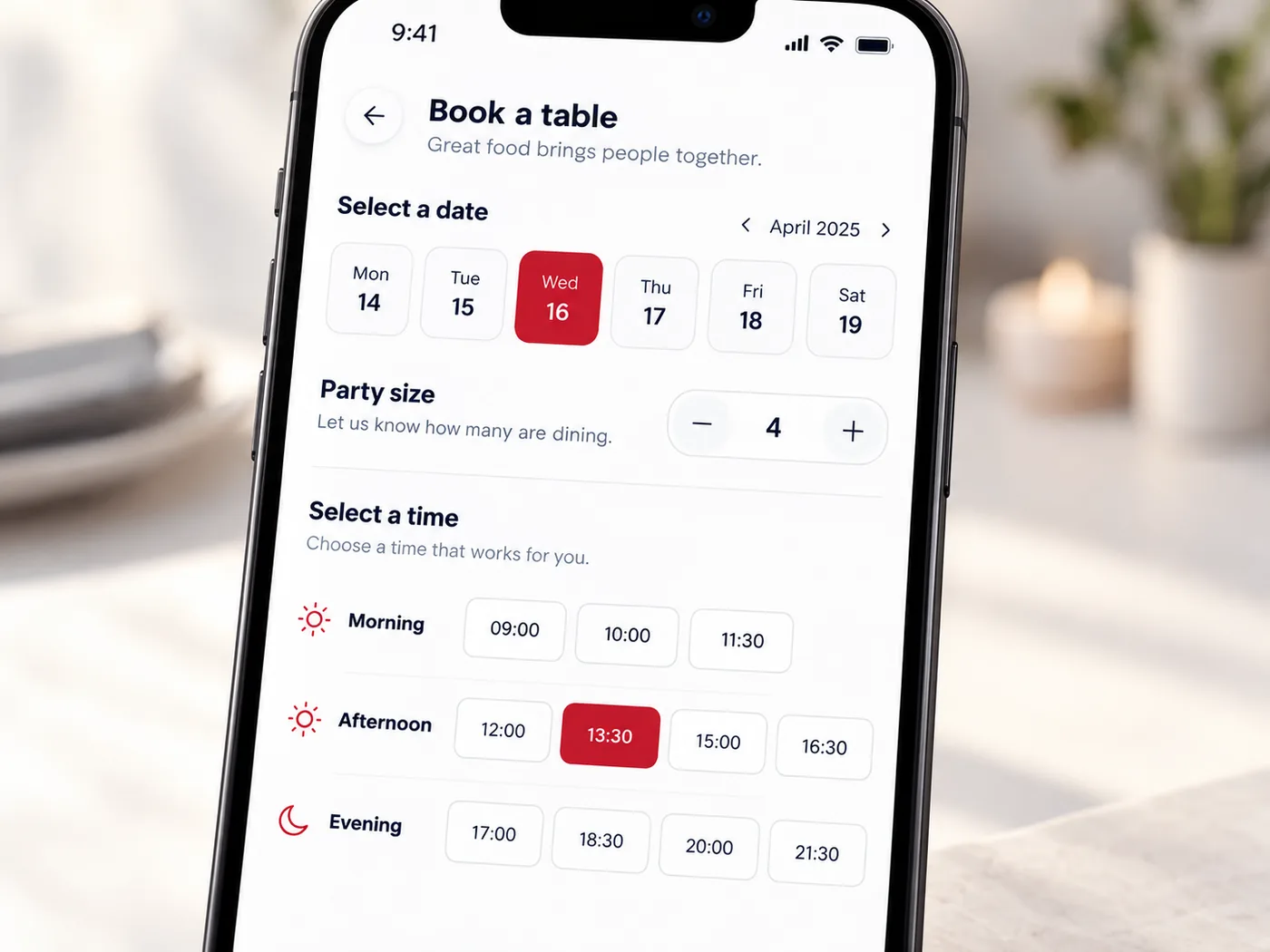
  • Choose the branch (for multi-branch businesses) and a date from the next six days
  • Set the party size with a simple stepper
  • See only the time slots that are still open, grouped into Morning, Afternoon and Evening
  • Add an occasion (Birthday, Anniversary, Business, Date Night, Family Gathering) and special requests
  • Returning guests are recognised by phone number, and their name and email are filled in
A guest choosing a date, party size and time slot on the booking page

Protect Your Tables from No-Shows

Turn on the safeguards you want, branch by branch. Each one is optional.

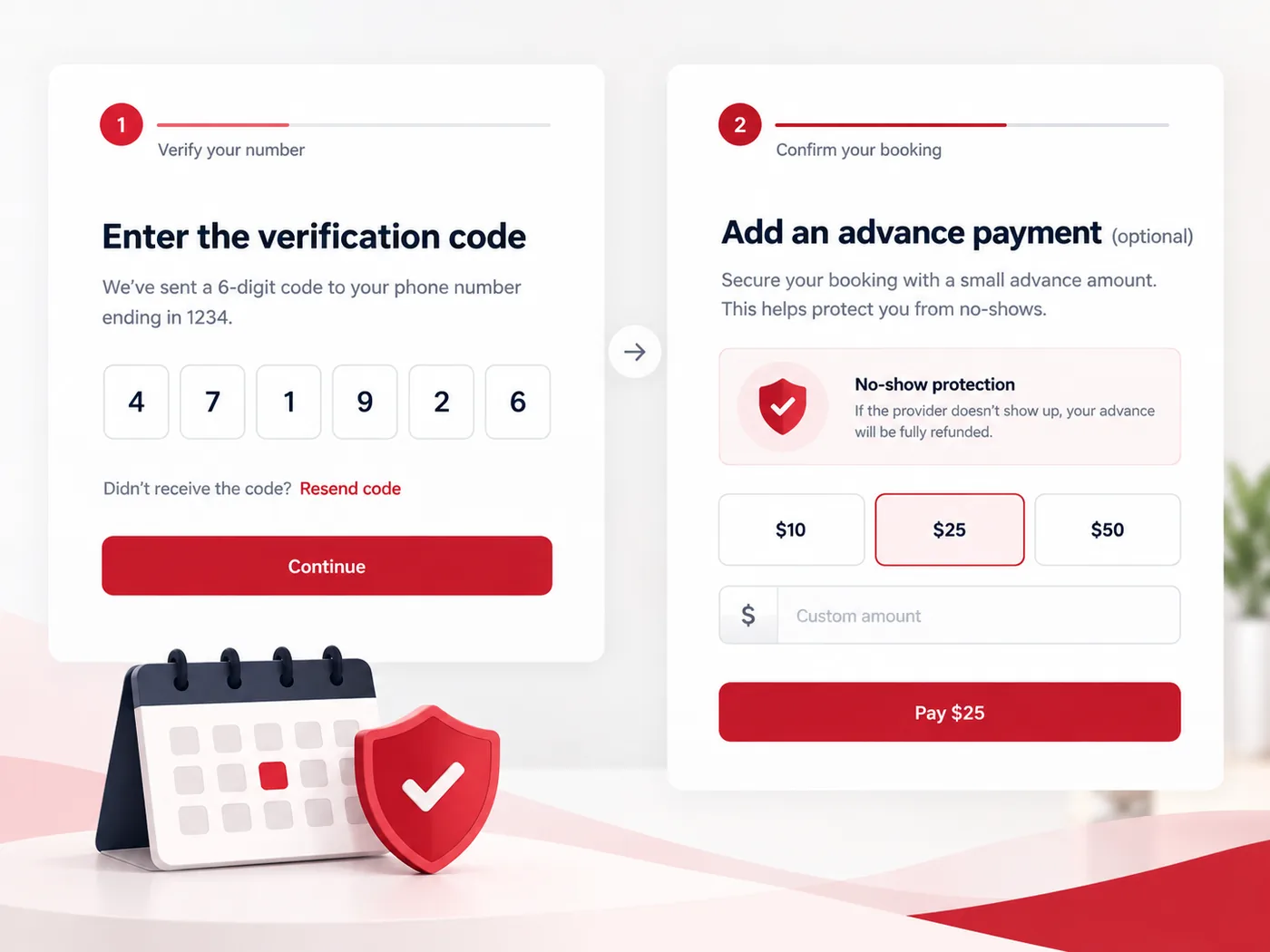
  • Phone verification with a one-time code sent on WhatsApp or SMS — you choose the channel, and wrong guesses are locked out after five tries
  • Collect an advance amount at booking, paid through your connected gateway (Razorpay, Cashfree or Stripe)
  • Spam protection on the booking form with reCAPTCHA
  • Slots reflect your tables’ capacity and the bookings you already hold
A booking screen with an advance payment step and a phone verification code

From Booking to Table to Bill

A booking does not end at the form. It flows into the tools your staff already use.

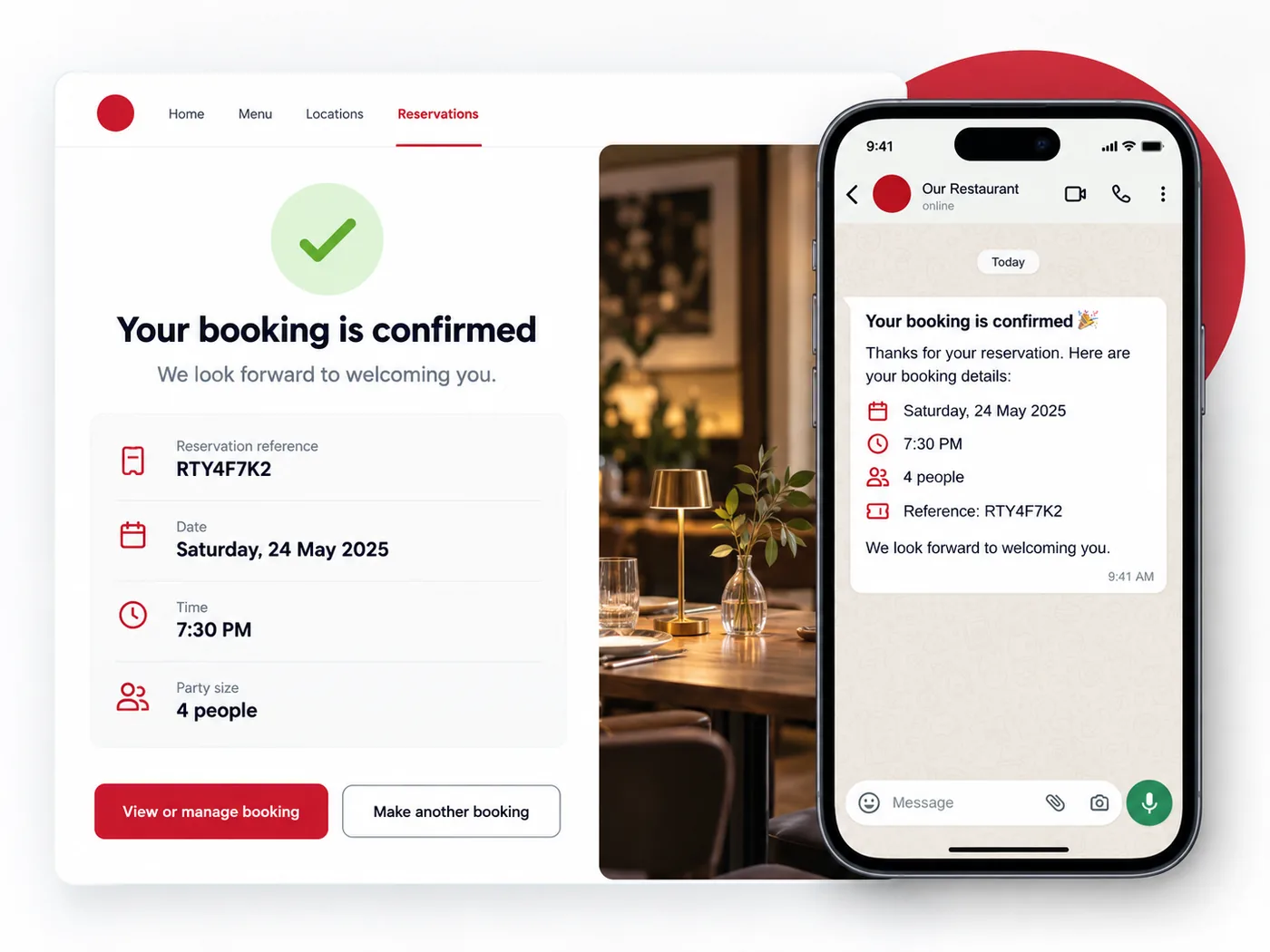
  • The guest gets a confirmation page with a reference code, plus a WhatsApp message with the date, time, party size and code
  • The booking appears in the Reservation Manager app, where staff check the guest in and assign a table
  • Seated guests carry over to the POS and Captain app, so the order can start with the guest already selected
A booking confirmation page with a reference code and a WhatsApp message

Everything in the Table Reservation Widget

A complete online booking experience for restaurants, with no extra software for guests.

Your Brand, Your Theme

Shows your business name and logo, in a light, dark or rose theme that you choose.

Share One Link

Each business gets its own booking link. Put it on your website, send it in messages or share it on social profiles.

Returning Guest Recognition

Enter a phone number and a returning guest’s name and email are filled in for them.

Optional Verification

One-time code check on the guest’s phone before the booking is accepted, switched on per branch.

Optional Advance Payment

Set an advance amount per branch and collect it online at booking.

Your Policies, Built In

Your own privacy policy and terms open inside the widget, alongside a cookie accept or reject notice.

Start Taking Online Bookings

See the widget on your own branding, connected to your tables and your team.

Book a Free Demo