Run Your Stock Deliveries
From the Driver's Phone

Built for central kitchens and bakeries that supply partner shops. Drivers see their assigned deliveries, share the delivery challan and invoice on WhatsApp, collect payment and log returns — in one Android app connected to your Ritaya back office.

Android app
Driver PIN login
Challan & invoice
Returns by barcode
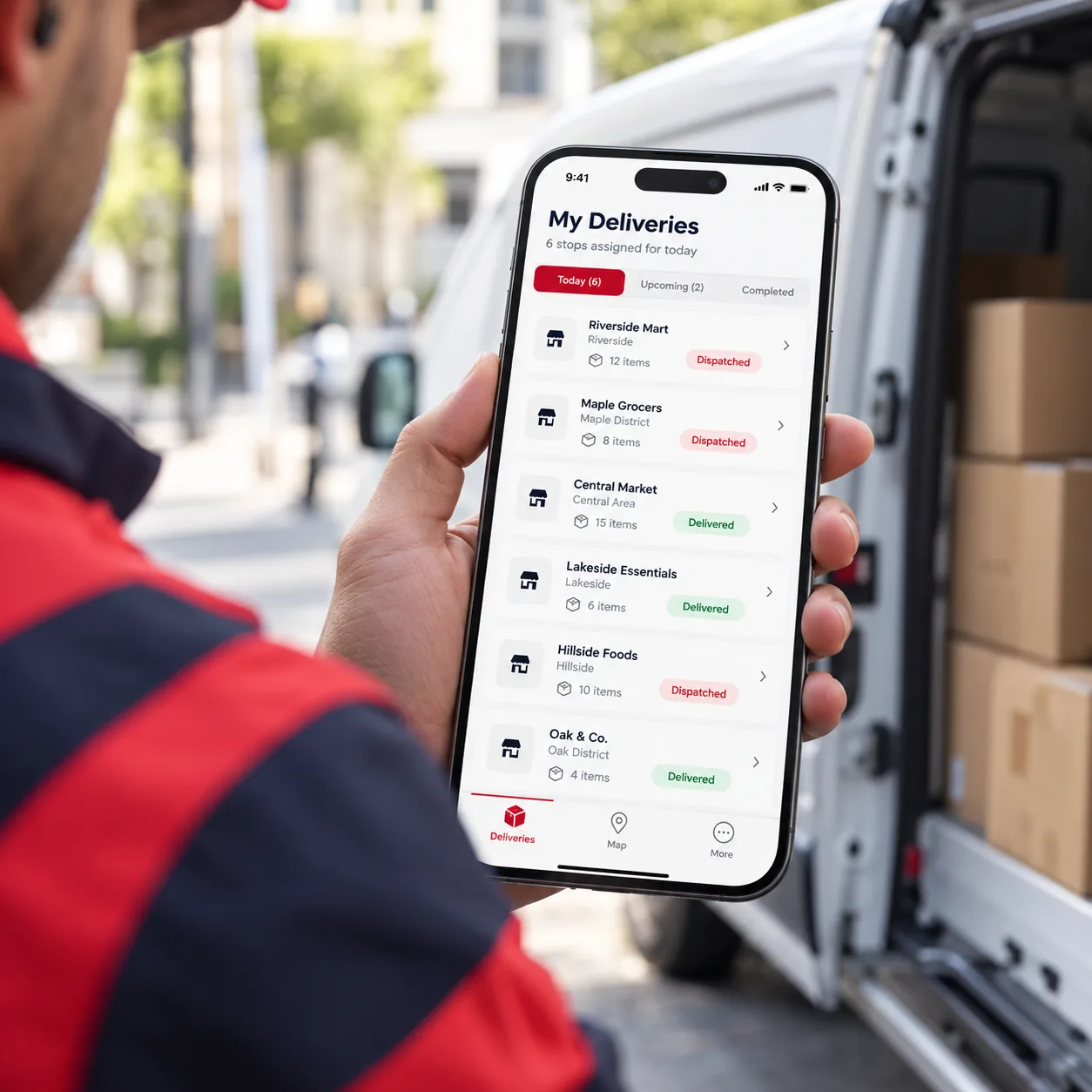
A driver's phone showing a list of assigned deliveries to partner shops
Android
Built for drivers on the road
Challan + Invoice
Share on WhatsApp or print
Cash & UPI
Payment recorded by the driver
Returns
Linked to the original delivery

From Dispatch to Doorstep

Your team creates the dispatch in Ritaya. The driver does the rest from the app.

1

Dispatch is assigned

A stock dispatch to a partner shop is assigned to a driver in your Ritaya back office. It appears in the driver's app.

2

Driver delivers

The driver opens the delivery, reviews the items and quantities, and shares the challan with the shop.

3

Marked as delivered

One tap marks the delivery as received. Ritaya records which driver delivered it and when.

4

Payment and returns

The driver records the payment against the invoice, and logs any items the shop sends back.

Challan and Invoice, Ready on the Spot

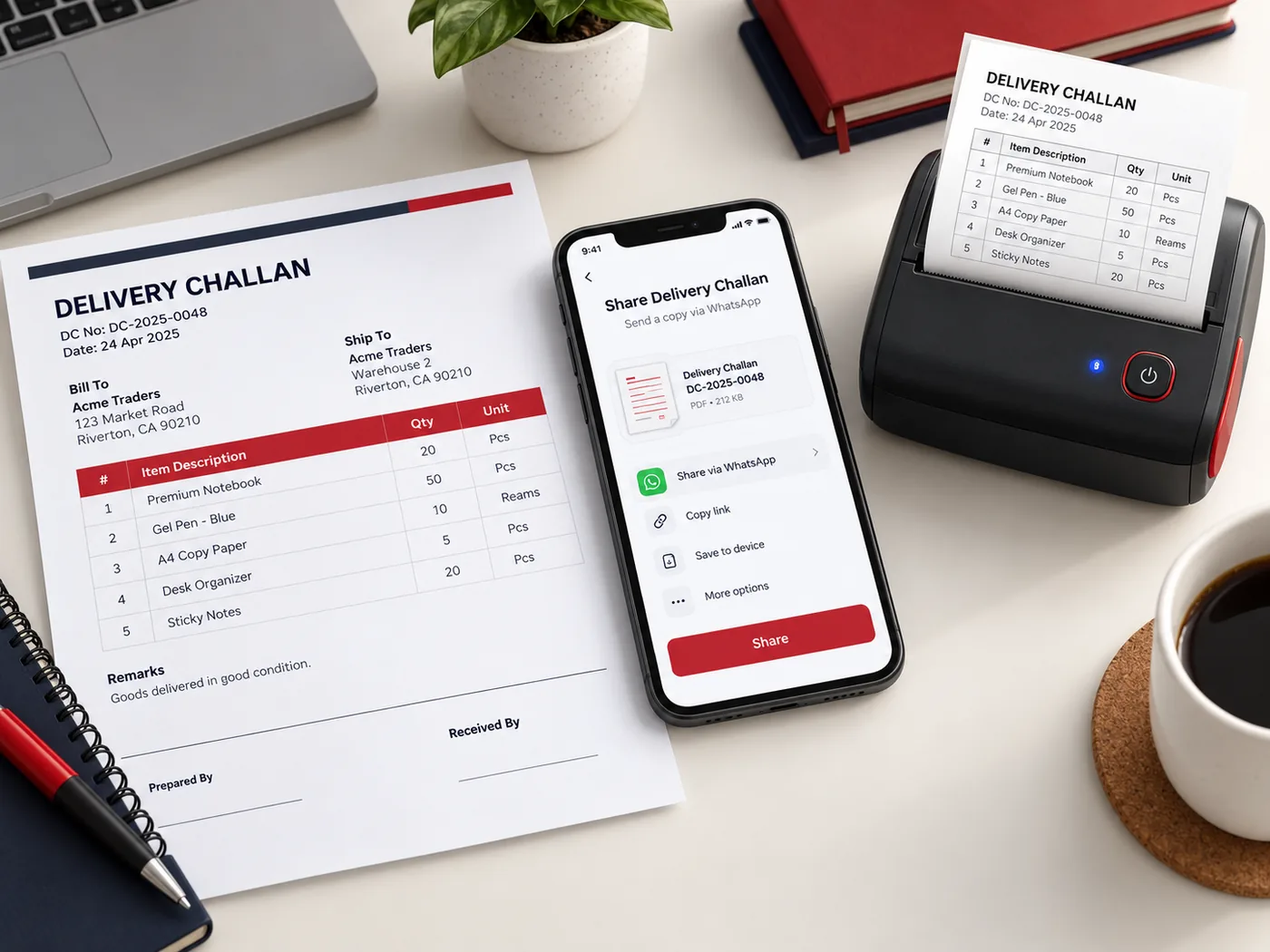
Every delivery carries its delivery challan and the shop's invoice. The driver can send them to the shop straight from the app, or print them if a thermal printer is connected.

  • Share the delivery challan as a link on WhatsApp
  • Share the invoice the same way
  • Print either one on a thermal printer (Bluetooth or network)
  • The printed challan carries your business name, address and GST number, and the shop's details
A delivery challan and invoice being shared on WhatsApp from the driver app

Returns Recorded Properly

When a shop sends stock back, the driver logs it in the app. Each returned item is tied to the delivery and invoice it came from, so the numbers stay correct in the back office.

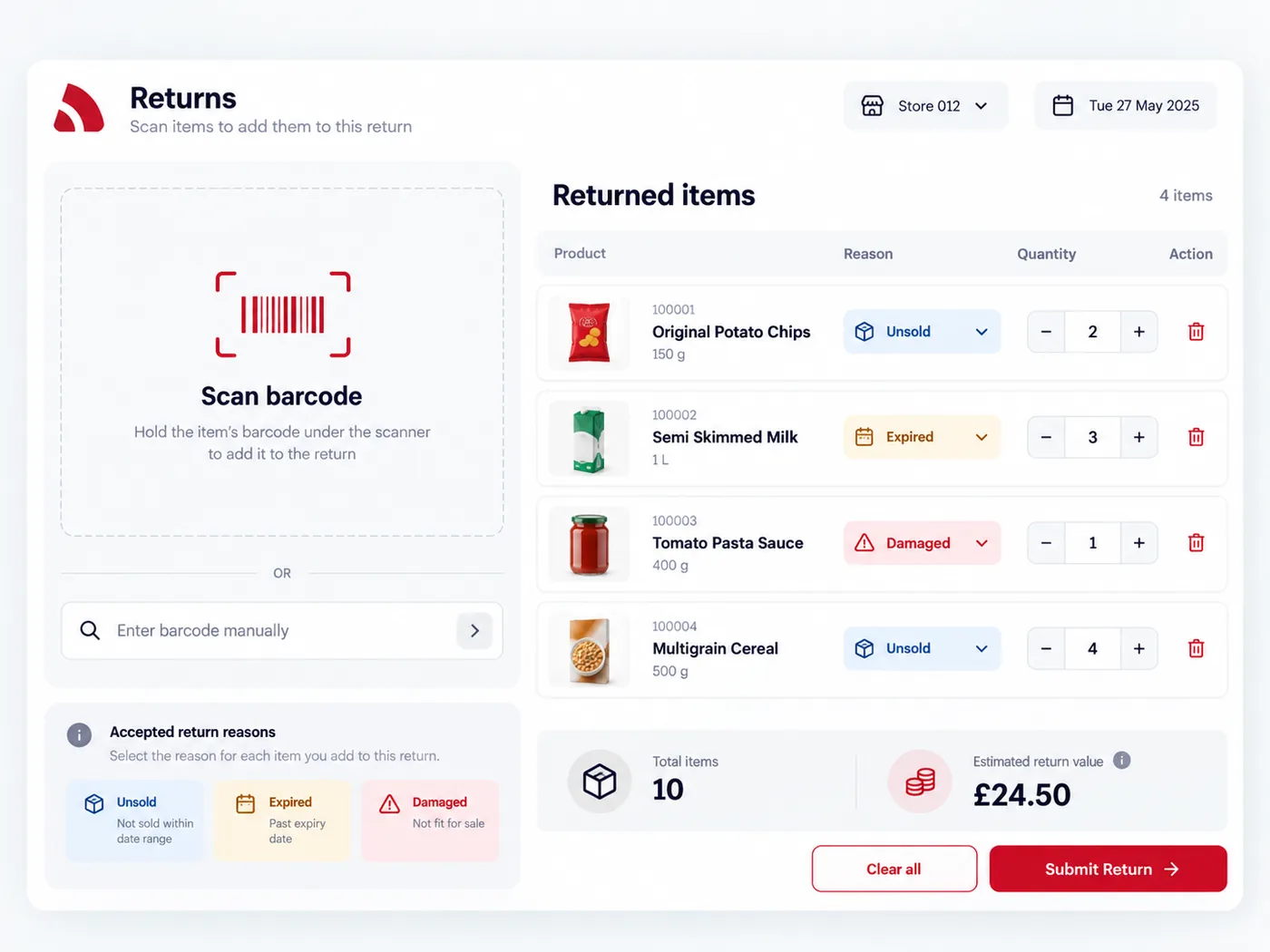
  • Scan the product barcode to add a return — or search by name if the barcode won't scan
  • Add items from more than one delivery in a single return
  • Give a reason: unsold, expired, damaged, excess, quality or other
  • The related invoice is adjusted automatically when the return is submitted
A driver scanning a barcode to record a returned item with a reason

Everything in the Delivery App

A focused app for the person on the road — no back-office clutter.

Driver Dashboard

See at a glance how many deliveries are assigned, how many invoices are still unpaid and how many returns you have submitted, plus today's delivery schedule.

Assigned Deliveries

A list of the deliveries assigned to you. Filter by status, search by shop or reference number, and open one to see its items, quantities and shop details.

Mark as Delivered

Confirm a delivery with one tap. Ritaya records the driver and the time. Only deliveries with the status "dispatched" can be marked, so nothing is closed by mistake.

Collect Payment

Record an invoice as paid by cash or UPI / online. When your account has an online payment gateway or a UPI ID set up, the app shows a payment QR for the shop to scan.

Partner Shop Directory

Browse your partner shops with their address and contact details. Filter by type — shop, hotel, canteen or other — and open a shop to see its invoices.

Phone Notifications

The app receives push notifications on the driver's phone and keeps a notification history on the device.

The Delivery App is for your own drivers delivering stock to partner shops. It records deliveries, payments and returns — it does not track a driver's live location. To book couriers for online orders, see the ShipRocket integration. The app runs on Android.

Put Your Deliveries in Your Drivers' Hands

See how the Delivery App works with your dispatches, invoices and partner shops.

Book a Free Demo